
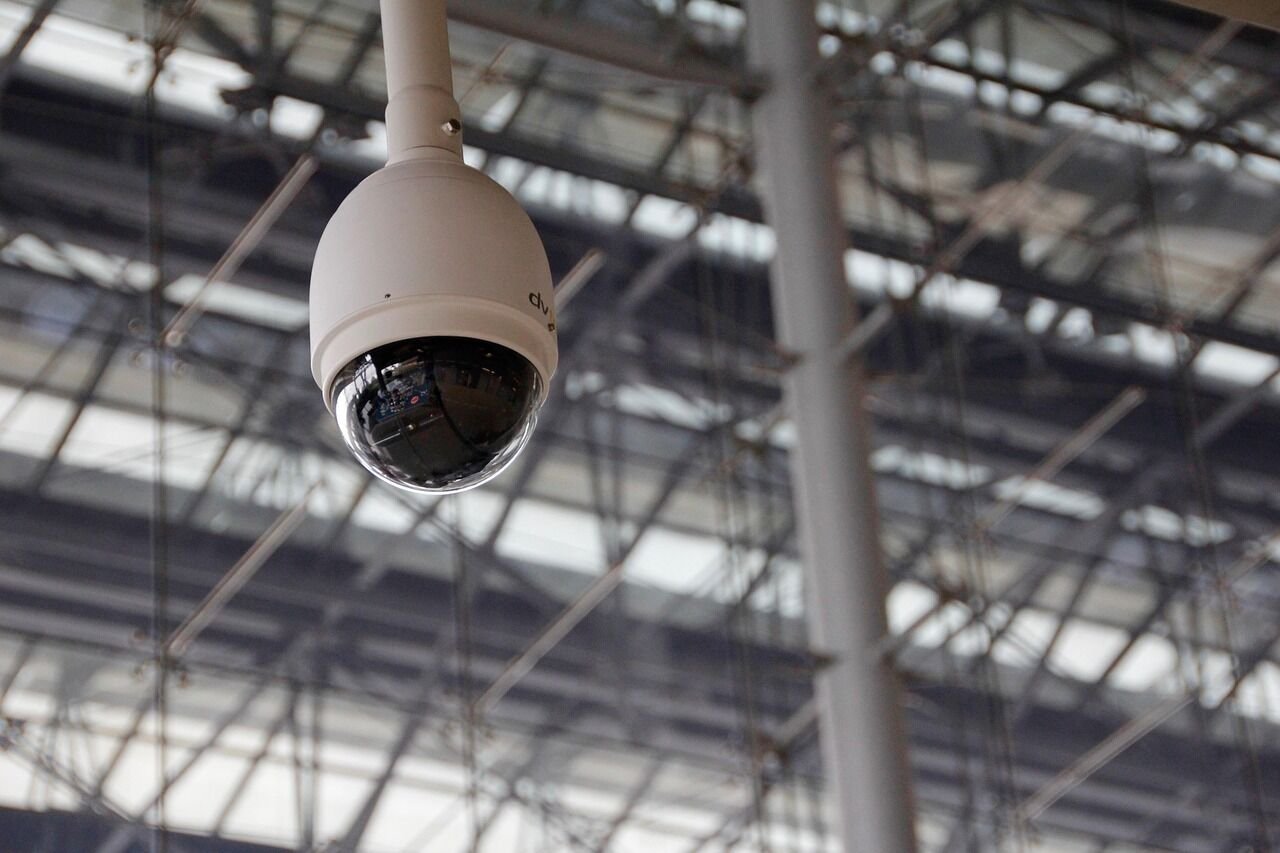
Rental properties in Kuala Lumpur and Selangor have a slightly different security challenge compared with owner-occupied homes. A landlord wants to protect the property, keep tenants safe, reduce disputes, manage handovers smoothly, and avoid unnecessary damage. A tenant, on the other hand, wants privacy, convenience, and confidence that previous occupants cannot still access the unit.
For condos, apartments, terrace houses, townhouses, semi-Ds, bungalows, shoplots, home offices and vacant units, the right security setup is not about buying every gadget available. It is about understanding the problem first: who needs access, what needs to be monitored, where the weak points are, how the building is managed, and what is reasonable from a privacy and maintenance point of view.
This guide covers smart lock access, CCTV placement and smoke detector basics for landlords and property owners in KL and Selangor, with practical points for tenants, buyers and condo residents too.
Start With the Real Security Problem
Before installing anything, ask what you are trying to solve. A short-stay unit has different needs from a long-term family rental. A vacant subsale condo waiting for renovation has different risks from a fully occupied landed home. A shoplot or home office may need access control for staff, while a studio apartment may only need a reliable lock, smoke detector and simple entry monitoring.
Common rental-property concerns include lost keys, former tenants keeping duplicate keys, unauthorised visitors, parcels left at the door, water or fire incidents, disputes over damage, and lack of visibility when a unit is vacant. For landlords, the goal is to create a system that is secure enough, easy to maintain, fair to tenants, and compliant with building rules.
- Use smart locks mainly for access control, especially to avoid key duplication and simplify move-in or move-out.
- Place CCTV carefully at permitted external or shared-facing areas only, never in private areas such as bedrooms or bathrooms.
- Separate building-level security from unit-level security, especially in condos where management controls common-property systems.
- Install smoke detectors for early warning and keep fire extinguishers, escape routes and emergency contacts ready.
- Check internet reliability before depending on Wi-Fi cameras, cloud storage or smart alerts.
- Plan maintenance, including lock batteries, camera cleaning, firmware updates, smoke detector testing and storage management.
- Respect tenant privacy by clearly stating what devices are installed, what they record, who has access and how long data is kept.
Building-Level Security vs Unit-Level Security
In a condominium or serviced apartment, it is important to understand the difference between building-level security and unit-level security.
Building-level security is managed by the joint management body, management corporation, building owner or appointed security team. This may include security guards, access cards, CCTV in lobbies and car parks, lift access, boom gates, intercoms, visitor registration and guardhouse procedures. Individual owners or tenants usually cannot modify these systems on their own.
Unit-level security is what the owner or tenant controls inside or at the entrance of the unit, subject to house rules and tenancy agreement. This includes digital door locks, door sensors, video doorbells, indoor security cameras, alarm systems, smoke detectors, smart plugs and basic fire-safety items.
For landed homes such as terrace houses, semi-Ds and bungalows, the owner usually has more control over gates, outdoor cameras, lighting, alarms and door hardware. However, privacy, wiring safety and local authority or renovation rules may still apply, especially if the installation affects neighbours, shared walls, drains, external façades or public-facing areas.
Smart Locks for Rental Properties
A smart lock, often called a digital door lock, replaces or supplements a traditional lock. It may allow access by PIN code, fingerprint, access card, mobile app, mechanical key or temporary passcode. For landlords, the biggest benefit is access control. You can change a PIN after a tenant moves out instead of replacing the whole lockset or worrying about duplicate keys.
For long-term rentals, a digital lock can make daily life more convenient. Tenants do not need to carry keys, and families can assign separate PINs to household members. For managed rental units, temporary codes can be created for cleaners, agents or contractors, but access should be controlled carefully and only with tenant consent when the property is occupied.
What to Look For in a Digital Lock
Choose a lock based on the door type, not only the design. Condo doors, timber doors, metal doors and grille gates may need different lock bodies or installation methods. Some doors may require drilling or mortise modification, so a qualified installer is recommended if you are not sure. Poor installation can make even a good lock unreliable.
Useful features include auto-lock, low-battery warning, emergency power via external battery contact, mechanical backup key, temporary PINs and access logs. An access log records when a code or user credential is used, but landlords must be careful with privacy. In a normal tenancy, the tenant’s daily movement should not be monitored unnecessarily.
For rental units, keep a proper handover process. Remove the previous tenant’s fingerprints, cards and PINs. Reset app access. Change the master PIN. Confirm who has the emergency key and where it is stored. If the lock is connected to Wi-Fi or Bluetooth, update the owner account and remove old users.
Battery Management and Backup Access
Most digital locks run on batteries. Battery replacement is not difficult, but it must be scheduled. Low-battery warnings should not be ignored. For landlords, include battery responsibility in the tenancy agreement or handover checklist. For vacant properties, check the lock every few months because batteries can drain even when the unit is not used often.
Always maintain a backup access method. This may be a mechanical key, external battery jump-start option or authorised installer support. Do not rely only on a phone app, especially if the tenant loses the phone, the internet is down, the app account is locked or the lock battery is flat.
CCTV, IP Cameras, Wi-Fi Cameras, NVR and DVR Explained
CCTV simply means a camera system used for monitoring and recording. In homes today, many people use the term CCTV for both traditional wired systems and modern internet-connected cameras.
An IP camera is a camera that sends video data over a network. It may connect by network cable or Wi-Fi. A Wi-Fi camera is a type of IP camera that connects wirelessly to your router. It is easy to install, but its performance depends heavily on Wi-Fi strength, internet stability and power supply.
An NVR, or network video recorder, records video from IP cameras. It is commonly used for modern wired camera systems. A DVR, or digital video recorder, is usually used with older analogue CCTV cameras. Both NVR and DVR systems store recordings locally, usually on a hard drive.
Cloud storage means video clips are uploaded to the camera provider’s online server, often through a subscription. It can be convenient because footage may still be available even if the camera is damaged or stolen. However, cloud storage depends on internet connection, account security and the provider’s data policy.
Local storage means recordings are saved on a memory card, NVR, DVR or local hard drive. It can reduce subscription costs and keep data physically within your property, but the storage device must be protected, maintained and checked. If the device fails or is taken, the recording may be lost.
Where Should Landlords Place CCTV?
CCTV placement should be based on purpose, permission and privacy. For a rental property, cameras are usually used to monitor entrances, external gates, car porches, perimeter areas, shoplot fronts or vacant-unit access points. They should not be used to watch how tenants live inside the property.
For condos and apartments, camera placement is more sensitive. Corridors, lift lobbies, staircases and car parks are generally common property. A resident should not simply install a camera facing a shared corridor or neighbour’s door without checking management rules. Some management offices may restrict external-facing cameras, video doorbells or any device attached to the façade, grille, wall or common area.
For landed properties, outdoor cameras should be angled towards your own gate, porch, entrance or compound. Avoid pointing directly into a neighbour’s window, living area or private garden. Even if the camera is on your property, the viewing angle matters.
Indoor Cameras in Rental Units
Indoor cameras require extra care. In a vacant unit, landlords may use cameras temporarily to monitor renovation works, deliveries or unoccupied conditions, provided contractors and agents are informed. Once a tenant moves in, indoor cameras should generally be removed or disabled unless there is a clear, agreed and reasonable purpose, such as a camera at the main entrance inside a shared office reception area.
Never place cameras in bedrooms, bathrooms, changing areas or other highly private spaces. For rental homes, even living rooms and kitchens can be sensitive because tenants have a reasonable expectation of privacy. If any indoor camera is installed in a tenanted property, it should be clearly disclosed in writing, positioned only in appropriate common areas, and controlled according to agreed terms.
A good security setup should protect the property without making the people inside feel watched.
Camera Features: What They Mean in Plain English
Motion detection means the camera can detect movement in its view and start recording or send an alert. Basic motion detection may trigger alerts from moving trees, rain, headlights or pets. Better systems allow motion zones, so you can focus on the doorway instead of the whole corridor or road.
PIR sensors, short for passive infrared sensors, detect changes in body heat rather than just visual movement. They are often used in alarm sensors and some cameras. PIR can reduce false alerts, but placement is important. Avoid aiming PIR sensors at direct sunlight, air-conditioner drafts or heat sources.
Two-way audio lets you speak through the camera or video doorbell using your phone. It can be useful for delivery instructions, but it should be used politely and not as a tool for constant monitoring. Avoid confronting suspicious persons directly. If there is a serious concern, contact building security, the police or relevant emergency services.
Night vision allows cameras to see in low light, usually using infrared light or low-light image processing. Check whether the camera can capture useful detail at your actual entrance distance, not just in a showroom. For car porches and gates, lighting is still important. A well-lit entrance often improves both safety and camera image quality.
Smart alerts are app notifications triggered by activity, such as human detection, doorbell press or sound detection. They are useful, but too many alerts can become annoying. Set alert schedules and zones properly, especially for busy condo corridors or homes facing main roads.
CCTV vs Video Doorbell: Which Is Better?
| Option | Best For | Limitations | Rental Property Notes |
| CCTV camera | Monitoring gates, porches, entrances, shoplot fronts and vacant properties | May need wiring, storage setup and careful privacy positioning | Better for landlords who need broader external coverage, subject to consent and rules |
| Video doorbell | Seeing visitors, deliveries and doorbell activity at the unit entrance | May face condo corridor restrictions and neighbour privacy concerns | Useful for tenants and owners, but check management rules before installing |
| Indoor camera | Vacant units, renovation monitoring, home office reception areas | High privacy sensitivity in occupied homes | Should not be used in private living spaces without clear written agreement |
| Alarm sensor | Detecting door, window or motion activity without recording video | Does not provide visual evidence | Good privacy-friendly option for occupied rental units |
Access Control Beyond the Front Door
Access control means managing who can enter a place and when. In condos, building-level access control may include lift cards, lobby doors, car park access and intercoms. These are controlled by management, not individual owners. Landlords should ensure access cards, parking stickers and visitor procedures are properly handed over and recovered at the end of tenancy.
At the unit level, access control includes digital locks, grille locks, room locks for co-living arrangements, and smart door sensors. A door sensor detects whether a door is opened or closed. It can trigger an app alert or alarm, but it does not record video. This can be a less intrusive option compared with cameras, especially for rented homes.
For shoplots and home offices, access control may include keypad locks, card access or staff PINs. Avoid sharing one code among many users if accountability matters. Change codes when staff leave, contractors complete work, or tenants move out.
Smoke Detectors, Heat Detectors and Fire Safety Basics
Security is not only about break-ins. Fire safety is equally important for landlords, families and tenants. A smoke detector gives early warning when smoke is detected. This can help occupants evacuate quickly and call emergency services. A smoke detector does not put out a fire; it is an early-warning device.
A heat detector responds to temperature increase rather than smoke. It may be suitable for areas where smoke detectors can cause frequent false alarms, such as certain kitchens, but it usually reacts later than a smoke detector because it waits for heat to rise. In many homes, smoke detectors are better for bedrooms, hallways and living areas, while heat detectors may be considered for kitchens or utility areas depending on layout and suitability.
For Malaysian homes, landlords should focus on prevention, early warning and safe evacuation. Avoid overloading power sockets. Use properly rated electrical appliances. Repair faulty wiring through qualified electricians. Do not block exits with furniture, bicycles, boxes or renovation materials. Keep keys or access methods reachable so occupants can exit quickly.
A basic fire-safety setup may include smoke detectors, an appropriate fire extinguisher, a simple escape plan, emergency contact numbers and clear evacuation routes. In strata buildings, residents should also understand the building’s fire alarm, staircases, assembly points and management notices. Do not use lifts during a fire evacuation unless instructed by emergency authorities or building fire-safety personnel.
If a smoke alarm sounds or there are signs of fire, the priority is to get everyone out safely and call emergency services. Do not stay inside a dangerous property to investigate the source of fire.
Where to Place Smoke Detectors
Place smoke detectors where they can give early warning, such as near bedrooms, hallways and main living areas. Avoid placing them too close to cooking areas, bathrooms or air-conditioning vents where steam, cooking smoke or airflow may cause false alarms or reduce effectiveness. Follow the manufacturer’s installation instructions for ceiling or wall placement.
For multi-storey landed homes, consider detectors on each floor. For rental properties, test the alarm before handover and explain to tenants how to test it, silence false alarms safely and replace batteries if applicable.
Installation Considerations for KL and Selangor Homes
For condos, always check house rules before installing devices at the main door, corridor-facing wall, balcony, grille or external façade. Management may have rules about drilling, wiring, device appearance, corridor obstruction, electrical work and camera direction. Even a small video doorbell can become an issue if it records common areas or neighbours’ entrances.
For landed homes, think about weather exposure, cable routes, power points, Wi-Fi coverage, lighting and maintenance access. Outdoor cameras should be weather-appropriate and mounted securely. For electrical wiring, outdoor cabling, concealed wiring, alarms and permanent fixtures, use qualified installers or electricians where appropriate.
If your camera, smart lock or alarm depends on the internet, check your broadband and Wi-Fi coverage. This is especially important for larger condos, duplexes, terrace houses and homes with thick walls. Readers may find related guidance under KLCondo.com.my topics such as Internet & Broadband, Smart Home and Renovation & DIY.
Privacy and Data Storage for Rental Properties
Privacy should be designed into the setup from the beginning. Tell tenants what devices are installed before they sign or move in. List cameras, sensors, smart locks, smoke detectors and alarms in the inventory or tenancy documentation. Explain whether any device records audio or video, where recordings are stored, who can access them and how long they are kept.
Cloud camera accounts should be secured with strong passwords and, where available, two-factor authentication. Remove old users after a tenant, agent, cleaner or contractor no longer needs access. Do not share one login with everyone. Use separate user permissions if the system allows it.
Recording retention should be reasonable. Keeping footage forever is usually unnecessary and increases privacy and data risks. For local storage, check memory cards and hard drives periodically. For cloud storage, review subscription settings and cancellation terms.
For landlords, avoid using smart devices to micromanage tenants. For tenants, ask the landlord to disclose all installed cameras and smart devices. If you are renting a condo, you can also check whether the building has its own CCTV and access control in common areas, but remember those recordings are usually managed by the building, not the unit owner.
Maintenance Checklist for Landlords and Tenants
A security device that is not maintained may fail when needed. Build
🏙️ Explore Kuala Lumpur Properties
- New Condo Projects in Kuala Lumpur
- Condo for Sale in Kuala Lumpur
- Condo for Rent in Kuala Lumpur
- Landed Homes & Shop Lots for Sale
- Browse Properties by Area
- Property Buying Guides & Tips
- Find Property Agents
- Find Homeowner Insurance Agent
📍 Browse Properties by Location
- Property in KLCC
- Property in Mont Kiara
- Property in Bangsar
- Property in Sri Hartamas
- Property in Bukit Jalil
- Property in Cheras
- Property in Setapak
- Property in Petaling Jaya
- Property in Subang Jaya
⚠️ Disclaimer
The information provided in this article is for general educational and informational purposes only. While we strive to keep property information accurate and up to date, availability, pricing, specifications, and promotions may change without prior notice.
This content should not be considered legal, financial, investment, or mortgage advice. Readers are encouraged to verify all information directly with property developers, property owners, licensed real estate agents, financial institutions, or relevant authorities before making any purchasing or rental decisions.
KLCondo.com.my is an independent property information platform and is not responsible for any losses arising from the use of information published on this website.
